Mac Mini
In-game article clicks load inline without leaving the challenge.
Mac Mini (stylized as Mac mini) is a small-form-factor desktop computer developed and marketed by Apple. It is one of the company's three current Mac desktop computers, positioned as the entry-level consumer product, below the all-in-one iMac and the professional Mac Studio. From its launch, the device has been sold without a display, keyboard, or mouse, and was originally marketed with the slogan "BYODKM" (Bring Your Own Display, Keyboard, and Mouse). This strategic pitch targeted current owners of Windows desktop computers; by leveraging peripherals users likely already owned, the computer offered a cost-effective way to switch to a Mac.
In January 2005, the original Mac Mini was introduced with the PowerPC G4 CPU. In February 2006, Apple switched to an Intel Core Solo CPU. A thinner unibody redesign, unveiled in June 2010, added an HDMI port and was more readily positioned as a home theater device and an alternative to the Apple TV.
The 2018 Mac Mini model had Thunderbolt, an Intel Core i3, i5 or i7 CPU, solid-state storage and replaces most of the data ports with USB-C. The Apple silicon Mac Mini based on the Apple M1 chip was introduced in November 2020; however Intel-based models remained available with more RAM options until the release of an updated model based on the M2 and M2 Pro chips in January 2023.
In October 2024, Apple redesigned the Mac Mini for the first time since 2010. The new design is much smaller than previous models and features ports on the front and back of the device. The new design debuted with the M4 and M4 Pro chips, with the M4 Pro computers supporting Thunderbolt 5 for the first time.
A server version of the Mac Mini that is bundled with the server edition of the OS X operating system was offered from 2009 to 2014. The Mac Mini received generally tepid reviews except for the Apple silicon model, which was praised for its compatibility, performance, processor, price, and power efficiencies, though it drew occasional criticism for its ports, speaker, integrated graphics, non-user-upgradable RAM and storage.
On February 23, 2026, Apple announced that it will move some production of its Mac Mini desktop computer to the U.S. from Asia, with new manufacturing effort will begin later this year at a Foxconn facility in north Houston.
Form and design
The Mac Mini was modeled on the shape of a standard digital media player, and runs the macOS operating system (previously Mac OS X and OS X). It was initially advertised as "BYODKM" (Bring Your Own Display, Keyboard, and Mouse), aiming to expand Apple's market-share of customers using other operating systems such as Microsoft Windows and Linux. Mac Mini was the company's only consumer computer that shipped without a paired display, keyboard, and mouse since its original release in 2005.
Since the unibody redesign in 2010, the Kensington Security Slot and the optical drive were removed from all models, leaving internal storage spaces for either a second internal hard drive or an SSD, which can be ordered from Apple or as an upgrade kit from third party suppliers.
G4 polycarbonate (2005)

Apple's release of a small form factor computer had been widely speculated upon and requested before the Mac Mini. In January 2005, the Mac Mini was introduced alongside the iPod shuffle at the Macworld Conference & Expo; Apple CEO Steve Jobs marketed "The cheapest, and most affordable Mac ever". The machine was intended as an entry-level computer for budget-minded customers. In comparison to regular desktops, which use standard-sized components such as 3.5-inch hard drives and full-size DIMMs, the Mac Mini uses low-power laptop components to fit into small cases and avoid overheating.
The aluminum case, the top and bottom of which is capped with polycarbonate plastic, has an optical drive slot on the front, and the I/O ports and vents for the cooling system on the back. It has an external 85W power supply. Mac Mini has no visible screws, reflecting Apple's intention the computer may not be upgraded by the user. Some Mac Mini owners used a putty knife or a pizza cutter to open the case to install third-party memory, which could be obtained more cheaply than Apple's offering.
The Mac Mini is based on a single-core, 32-bit, PowerPC CPU with 512 KB of on-chip L2 cache. The processor, running at 1.25, 1.33, 1.42, or 1.5 GHz depending on the model, accesses memory through a front-side bus clocked at 167 MHz. The CPU can be overclocked to higher frequencies by either soldering or desoldering certain zero-ohm resistors on the logic board.
An ATI Radeon 9200 graphics processor (GPU) with 32 megabytes (MB) of DDR SDRAM was supplied as standard; in the final 2005 model, Apple added a high-end option of 64 MB VRAM. In Apple's early marketing of the Mac Mini G4, it touted the superiority of the discrete graphics board over the integrated graphics in many budget PCs.
The machine uses 333 MHz DDR SDRAM and has one desktop-sized DIMM slot for RAM, allowing a maximum of 1 gigabyte (GB) of memory, a relatively small amount. Because of the small amount of memory, the system often had to page against the hard drive, slowing operation considerably. The 2005 Mac Mini uses a single 2.5-inch Ultra ATA/100 hard drive that offers a maximum transfer rate of 100 megabytes per second (MB/s). It is not possible to open the sealed enclosure to upgrade the hard drive without possibly voiding the warranty of the system. The 2005 Mac Mini also contains a second ATA cable that connects to the optical drive. A Combo drive was included as standard while a SuperDrive that could write to DVDs was also an option.
The 2005 Mac Mini has two USB 2.0 ports and one FireWire 400 port. Networking is supported with 10/100 Ethernet and a 56k V.92 modem, while 802.11b/g Wi-Fi and Bluetooth were additional, build-to-order options. External displays are supported via a DVI port, and adapters for VGA, S-Video, and composite video output were available. The system contains a built-in speaker and an eighth-inch stereo mini jack for analog sound output. The new Wi-Fi card no longer used an MMCX-Female connector for the antenna, as do prior models, but rather a proprietary Apple one.
The original Mac Mini was initially supplied with Mac OS X 10.3, then later with Mac OS X 10.4, and can run Mac OS 9 applications, as long as a bootable copy of the OS 9 system folder is installed from which to run the Classic environment (although the 2005 Mac Mini cannot natively boot to Mac OS 9). As of Mac OS X 10.5, the ability to run the Classic environment was removed. Later, Mac OS 9 was able to run on the 2005 Mac Mini through an unofficial patcher, though this was not supported by Apple. It is compatible with operating systems designed for the PowerPC architecture. Users can install the AmigaOS-compatible MorphOS, OpenBSD, and Linux distributions such as Debian and Ubuntu.
Technical specifications
The serial number and specifications sticker on the underside of the latest revision do not carry the actual specs of the upgrade. For example, on a 1.5 GHz model, 1.42 GHz is listed. The product packaging also did not reflect the upgrade. Apple did not revise the official specifications on their website.
According to Apple, all of these models are obsolete.
| Model | Early 2005 | Mid 2005 | Late 2005 | ||||
|---|---|---|---|---|---|---|---|
| Timetable | Released | January 11, 2005 | July 26, 2005 | September 27, 2005 | |||
| Discontinued | February 28, 2006 | July 26, 2005 | September 27, 2005 | February 28, 2006 | |||
| Model numbers | Order number | M9686/A | M9687/A | M9686/A | M9971/B | M9686/B | M9687/B |
| Model identifier | PowerMac10,1 | PowerMac10,2 | |||||
| Model number | A1103 | ||||||
| Performance | Processor | PowerPC G4 (7447A) | |||||
| Processor Clock speed | 1.25 GHz | 1.42 GHz | 1.25 GHz | 1.42 GHz | 1.33 GHz | 1.5 GHz | |
| Cache | 64 kB L1, 512 kB L2 (1:1) | ||||||
| Front-side bus | 167 MHz | ||||||
| Memory (one RAM slot) | 256 MB 333 MHz DDR SDRAM Expandable to 1 GB | 512 MB 333 MHz DDR SDRAM Expandable to 1 GB | |||||
| Graphics | ATI Radeon 9200 graphics processor with 32 MB DDR SDRAM | ATI Radeon 9200 graphics processor with 64 MB DDR SDRAM | |||||
| Storage | Hard drive capacity | 40 GB | 80 GB | 40 GB | 80 GB | 40 GB | 80 GB |
| Hard drive type | 2.5" PATA/100 at 4200 rpm | 2.5" PATA/100 at 5400 rpm | |||||
| Optical drive | Slot-in Combo drive | Slot-in Combo drive or SuperDrive | Slot-in Combo drive | Slot-in Combo drive or SuperDrive | |||
| Connections | Connectivity | Optional or integrated Wi-Fi 3 (802.11b/g) 10/100 Base-T Ethernet Optional or integrated 56k V.92 modem Optional or integrated Bluetooth 1.1 | Optional or integrated Wi-Fi 3 (802.11b/g) with Bluetooth 2.0+EDR card 10/100 Base-T Ethernet Optional or integrated 56k V.92 modem | ||||
| Peripherals | 2x USB 2.0 1× FireWire 400 Built-in mono speaker Audio-out mini-jack | ||||||
| Video out | DVI (supports resolutions up to 1920×1200) | ||||||
| Dimensions | Weight | 2.9 pounds (1.3 kg) | |||||
| Volume | 2.0 inches (51 mm) H × 6.5 inches (170 mm) W × 6.5 inches (170 mm) D | ||||||
| Power | 32W (Idle), 85 W (Max) (1.25 GHz model with 256 MB RAM, 40 GB drive, and Combo drive) | ||||||
| Operating system | Minimum | Mac OS X 10.3 Panther | Mac OS X 10.4 Tiger | ||||
| Latest release | Mac OS X 10.5 Leopard if at least 512 MB RAM installed, otherwise Mac OS X 10.4 Tiger | Mac OS X 10.5 Leopard |
Intel polycarbonate (2006–2009)

In February 2006, Apple announced the first Intel Mac Mini, as part of the Mac's transition to Intel processors. Based on the Intel Core Solo and Duo CPUs, they are four times faster than its predecessor PowerPC G4. This would be the only Mac to have the Core Solo, and by extension the only Intel-based and final Mac with a single-core processor. An updated server version of the machine was released in October 2009, having been marketed as an affordable server for small financial and academic uses; this model omitted the optical drive and used a hard drive instead.
The 2006 and 2007 models are fitted with 32-bit Intel Core Solo or Duos, CPUs that is upgradable with the 64-bit Core 2 Duo processors. The 2006 and 2007 Merom-based Mac Mini models were supplied with socketed CPUs; the 32-bit processor can be removed, and replaced with a compatible 64-bit Intel Core 2 Duo processor. Models manufactured in and after 2009 had their CPUs soldered onto a logic board, preventing its upgradability. The upgrades make the 2006/2007 models perform better than the 2009 models.[citation needed] Geekbench has shown the 2.33 GHz Core 2 Duo fitted Mac Mini with 2 GB of RAM has a score of 3060 whereas a late 2009 Mac Mini with 2 GB of RAM has 3056 making the two machines fairly comparable.
The built-in Intel GMA was criticized for producing stuttering video despite supporting hardware accelerated H.264 video playback, and disappointing frame rates in graphics-intensive 3D games. Early and Late 2009 models corrected these performance issues with an improved Nvidia GeForce 9400M chipset.
The Intel-based Mac Mini includes four USB 2.0 ports and one FireWire 400 port. The I/O ports were changed with the early 2009 revision, adding a fifth USB 2.0 and swapping the FireWire 400 port for a FireWire 800 port. An infrared receiver was added, allowing the use of an Apple Remote. Bluetooth 2.0+EDR and 802.11g Wi-Fi became standard and the Ethernet port was upgraded to Gigabit. A built-in 56k modem was no longer available. The 2009 models added 802.11 draft-n and later 802.11n Wi-Fi, and Bluetooth was upgraded from 2.0 to 2.1. External displays are supported through a DVI port. The 2009 models have Mini-DVI and Mini DisplayPort video output, allowing the use of two displays. The Mini DisplayPort supports displays with a resolution up to 2560×1600 at 60 Hz, which allows use of a 30 in (760 mm) Cinema Display. The Mini-DVI port supports displays a resolution up to 3440x1440 at 30 Hz (21:9 UWQHD displays). The Intel-based Mac Mini has separate Mini-TOSLINK/3.5 mm mini-jacks that support both analog audio input and output, and optical digital S/PDIF input and output.
Technical specifications
According to Apple, all of these models are obsolete.
| Model | Early 2006 | Late 2006 | Mid 2007 | Early 2009 | Late 2009 | |||||||
|---|---|---|---|---|---|---|---|---|---|---|---|---|
| Component | Yonah Intel Core | Merom Intel Core | Penryn Intel Core | |||||||||
| Timetable | Released | February 28, 2006 | September 6, 2006 | August 7, 2007 | March 3, 2009 | October 20, 2009 | ||||||
| Discontinued | September 6, 2006 | August 7, 2007 | March 3, 2009 | October 20, 2009 | June 15, 2010 | |||||||
| Model numbers | Order number | MA205 | MA206 | MA607 | MA608 | MB138 | MB139 | MB463 | MB464 | MC238 | MC239 | MC408 (Server) |
| Model identifier | Macmini1,1 | Macmini2,1 | Macmini3,1 | |||||||||
| Model number | A1176 | A1283 | ||||||||||
| Performance | Processor standard | 1.5 GHz (T1200) Intel Core Solo | 1.66 GHz (T2300) Intel Core Duo | 1.83 GHz (T2400) Intel Core Duo | 1.83 GHz (T5600) Intel Core 2 Duo | 2.0 GHz (T7200) Intel Core 2 Duo | 2.0 GHz (P7350) Intel Core 2 Duo | 2.26 GHz (P7550) Intel Core 2 Duo | 2.53 GHz (P8700) Intel Core 2 Duo | |||
| Processor upgradability | 2.33 GHz (T7600) Intel Core 2 Duo | 2.26 GHz (P8400) Intel Core 2 Duo | 2.66 GHz (P8800) Intel Core 2 Duo | |||||||||
| Cache | 2 MB on-chip L2 cache | 2 MB (1.83 GHz) shared | 4 MB (2.0 GHz) shared | 3 MB on-chip L2 cache | ||||||||
| Front-side bus | 667 MHz | 1067 MHz | ||||||||||
| Memory standard | 512 MB (2 × 256 MB) | 1 GB (2 × 512 MB) | 1 GB (1 × 1 GB) | 2 GB (2 × 1 GB) | 4 GB (2 × 2 GB) | |||||||
| Memory type | 667 MHz DDR2 SDRAM | 1066 MHz DDR3 SDRAM | ||||||||||
| Memory expandability | Up to 2 GB (Up to 4 GB after Core 2 Duo upgrade and macmini2.1 efi hack | Up to 4 GB (only 3 GB will be used) | Up to 8 GB (4 GB supported by Apple) | Up to 8 GB | ||||||||
| Graphics | Intel GMA 950 using 64 MB DDR2 SDRAM (up to 224 MB in OS X with sufficient RAM or Windows through Boot Camp) | Nvidia GeForce 9400M using 128 MB DDR3 SDRAM | Nvidia GeForce 9400M using 256 MB DDR3 SDRAM | |||||||||
| Shared with main memory | ||||||||||||
| Storage | Hard drive | 60 GB Optional 100 or 120 GB | 80 GB Optional 100 or 120 GB | 60 GB Optional 80, 120, 160 GB | 80 GB Optional 100, 120, 160 GB | 80 GB Optional 120 GB | 120 GB Optional 160 GB | 120 GB Optional 250 GB | 320 GB Optional 250 GB | 160 GB Optional 500 GB | 320 GB Optional 500 GB | 2 × 500 GB |
| SATA I (1.5 Gbit/s) 5400-rpm | SATA II (3 Gbit/s) 5400-rpm | |||||||||||
| Optical drive | 8× DVD read, 24× CD-R and 16× CD-RW recording Combo drive | 8× DVD±R read, 4× DVD±R writes or 2× DVD±RW writes, 24× CD read, 16× CD-R, and 8× CD-RW recording SuperDrive | 8× DVD read, 24× CD-R and 16× CD-RW recording Combo drive | 8× DVD±R read, 4× DVD±R writes or 2× DVD±RW writes, 24× CD read, 16× CD-R, and 8× CD-RW recording SuperDrive | 8× DVD read, 24× CD-R and 16× CD-RW recording Combo drive | 8× DVD±R read, 4× DVD±R writes or 2× DVD±RW writes, 24× CD read, 16× CD-R, and 8× CD-RW recording SuperDrive | 8× DVD±R read, 6× DVD±R-DL writes, 8× DVD±R writes or 6× DVD±RW writes, 24× CD read, 24× CD-R and CD-RW recording SuperDrive | None | ||||
| Connections | Connectivity | Built-in Wi-Fi 3 (802.11b/g) Gigabit Ethernet Bluetooth 2.0+EDR IR Receiver | Built-in Wi-Fi 4 (802.11a/b/g/draft-n) Gigabit Ethernet Bluetooth 2.1+EDR IR Receiver | Built-in Wi-Fi 4 (802.11a/b/g/n) Gigabit Ethernet Bluetooth 2.1+EDR IR Receiver | ||||||||
| Peripherals | 4x USB 2.0 1x FireWire 400 Built-in mono speaker Audio-out mini-jack Audio line-in/digital audio input | 5x USB 2.0 1x FireWire 800 Built-in mono speaker Audio-out mini-jack Audio line-in/digital audio input | ||||||||||
| Video out | DVI | Mini-DVI and Mini DisplayPort | ||||||||||
| Dimensions | Weight | 2.9 pounds (1.3 kg) | ||||||||||
| Volume | 2.0 inches (51 mm) H × 6.5 inches (170 mm) W × 6.5 inches (170 mm) D | |||||||||||
| Operating system | Minimum | Mac OS X 10.4 Tiger | Mac OS X 10.5 Leopard | Mac OS X 10.6 Snow Leopard | ||||||||
| Latest release | Mac OS X 10.6 Snow Leopard if at least 1 GB RAM installed, otherwise Mac OS X 10.5 Leopard | Mac OS X 10.7 Lion if at least 2 GB RAM installed, otherwise Mac OS X 10.6 Snow Leopard | OS X 10.11 El Capitan if at least 2 GB RAM installed, otherwise Mac OS X 10.6 Snow Leopard | OS X 10.11 El Capitan |
Intel unibody (2010–2018)

In June 2010, Apple redesigned the Mac Mini, giving it a more compact, thinner unibody aluminum case that has an internal power supply, an SD card slot, a Core 2 Duo CPU, and a HDMI port for video output that Apple marketed as HDMI 1.4 compliant, replacing the Mini-DVI port of the previous models.
In July 2011, a hardware update was announced; models were now fitted with a Thunderbolt port, dual-core Intel Core i5 and 4-core i7 CPUs, support for up to 16 GB of memory, Bluetooth 4.0, and either an Intel HD Graphics 3000 integrated graphics or an AMD Radeon HD 6630M dedicated graphics. The revision, however, removed the internal CD/DVD optical drive. The server model was upgraded to a quad-core Core i7 processor. Apple updated the line in October 2012, with Ivy Bridge processors, USB 3.0, and upgraded graphics. In October 2014, the line was updated with Haswell processors, improved graphics, 802.11ac Wi-Fi, 4K output via HDMI and Thunderbolt 2, with a second Thunderbolt port replacing the FireWire 800 port. The Fusion Drive and SSD models include a second bay for PCIe-based NVMe flash storage; hard drive-only models require an aftermarket adapter. The price of the base model was lowered by $100. Two holes that were used to open the case were removed from the case because the memory, being soldered to the logic board, was no longer upgradable. Because the integrated GPU does not have its own dedicated memory, the system shares some of the main system memory.
Comparing the high-end models of both releases, the 2012 model had a 4-core, 8-thread Intel Core i7-3720QM whereas the 2014 model has a 2-core, 4-thread Intel Core i7-4578U. The 2014 updated model has Intel Iris graphics (GT3), which greatly outperforms the Intel HD Graphics 4000 (GT2) in the previous models. The 2014 CPUs were more energy-efficient: their maximal thermal design power (TDP) was 62% lower than that of the 2012 models. The 2014 revision underwent internal process transition to dual-core CPUs, performing a lower-quality of multi-threaded workloads compared to the quad-core processors in the 2012 model, though the single-threaded workload interactions speeds increased.
In October 2018, Apple announced a "space gray"-colored Mac Mini with Intel Coffee Lake series CPUs, the T2 series chip for internal security, Bluetooth 5, four Thunderbolt 3 ports with USB 3.1 gen 2 support, two USB 3.0 Type-A ports, and HDMI 2.0. PCIe-based flash storage is standard with no option to fit a hard drive. The baseline storage was changed to 128 GB with a maximum of 2 TB. RAM was increased to a baseline of 8 GB and a maximum of 64 GB of SO-DIMM DDR4. The chassis is a carryover from Mac Minis released between 2010 and 2014, and has the same dimensions, but its color was changed from silver to "space gray", similar to the iMac Pro.
The 2018 Mac Mini removes legacy I/O such as the SD card reader, SATA drive bay, IR receiver, optical S/PDIF (TOSLINK) audio out, and audio in. macOS Catalina added support for Dolby Atmos, Dolby Vision, and HDR10. Memory can again be replaced. According to Apple, memory is not officially user-replaceable, and requires service by an Apple Store or Apple Authorized Service Provider. The CPU and flash storage are soldered to the logic board and cannot be replaced.
In March 2020, Apple doubled the default storage in both base models. Apple discontinued the Core i3 model following the release of the M1 Mac Mini in November 2020, but continued to sell the Core i5/i7 models until January 2023.
Technical specifications
| Obsolete | Vintage | Discontinued |
| Model | Mid 2010/Mid 2010 Server | Mid 2011/Mid 2011 Server | Late 2012/Late 2012 Server | Late 2014 | 2018 | |||||||
|---|---|---|---|---|---|---|---|---|---|---|---|---|
| Released | June 15, 2010 | July 20, 2011 | October 23, 2012 | October 16, 2014 | November 7, 2018 | |||||||
| Discontinued | July 20, 2011 | October 23, 2012 | October 16, 2014 | October 30, 2018 | January 17, 2023 | |||||||
| Processor | 2.4 GHz Intel Core 2 Duo Configurable to 2.66 GHz Intel Core 2 Duo | 2.66 GHz Intel Core 2 Duo | 2.3 GHz dual-core Intel Core i5 | 2.5 GHz dual-core Intel Core i5 Configurable to 2.7 GHz dual-core Intel Core i7 | 2.0 GHz quad-core Intel Core i7 | 2.5 GHz dual-core Intel Core i5 | 2.3GHz quad-core Intel Core i7 Configurable to 2.6 GHz quad-core Intel Core i7 | 1.4 GHz dual-core Intel Core i5 | 2.6 GHz dual-core Intel Core i5 Configurable to 3.0 GHz dual-core Intel Core i7 | 2.8 GHz dual-core Intel Core i5 Configurable to 3.0 GHz dual-core Intel Core i7 | 3.6 GHz quad-core Intel Core i3 3.0 GHz 6-core Intel Core i5 Configurable to 6-core 3.2 GHz Intel Core i7 | |
| Turbo Boost frequency | — | 3.1 GHz | 3.3 GHz 3.6 GHz with 2.6 GHz i7 | 2.7 GHz | 3.1 GHz 3.5 GHz with i7 | 3.3 GHz 3.5 GHz with i7 | 4.1 GHz (i5) 4.6 GHz with i7 | |||||
| Cache | 3 MB L2 | 3 MB L3 | 3 MB L3 4 MB L3 with 2.0GHz i7 | 6 MB L3 | 3 MB L3 | 6 MB L3 | 3 MB L3 | 3 MB L3 4 MB L3 with i7 | 6 MB (i3), 9 MB ( i5), 12 MB ( i7) | |||
| Memory | 2 GB 1066MHz DDR3 Configurable to 8 GB | 4 GB 1066MHz DDR3 Configurable to 8 GB | 2 GB 1333MHz DDR3 Configurable to 8 GB | 4 GB 1333MHz DDR3 Configurable to 8 GB | 4 GB 1600MHz DDR3 Configurable up to 16 GB | 4 GB 1600MHz LPDDR3 (soldered) Configurable up to 16 GB | 8 GB 1600 MHz LPDDR3 (soldered) Configurable to 16 GB | 8 GB 2666 MHz DDR4 Configurable up to 64 GB | ||||
| Graphics | Nvidia GeForce 320M using 256 MB DDR3 SDRAM | Intel HD Graphics 3000 with 288 MB DDR3 SDRAM | AMD Radeon HD 6630M graphics with dedicated 256 MB GDDR5 memory | Intel HD Graphics 3000 with 384 MB DDR3 SDRAM | Intel HD Graphics 4000 | Intel HD Graphics 5000 | Intel Iris Graphics 5100 | Intel UHD Graphics 630 | ||||
| Storage | 320 or 500 GB 5400 rpm HDD | 2× 500 GB 7200 rpm HDD | 500 GB 5400 rpm HDD Configurable to 750 GB 7200-rpm hard drive | 500 GB 5400 rpm HDD Configurable to 750 GB 7200-rpm hard drive and/or 256 GB SSD | 2× 500 GB 7200 rpm HDD Configurable to 750 GB 7200-rpm hard drives, 256 GB SSDs, or HDD/SSD combo | 500 GB 5400 rpm HDD | 1 TB 5400 rpm HDD Configurable to 1 TB Fusion Drive or 256 GB SSD | 2× 1 TB 5400 rpm HDD Configurable to 1 or 2× 256 GB SSDs | 500 GB 5400 rpm HDD Configurable to 1 TB Fusion Drive | 1 TB 5400 rpm HDD Configurable to 1 TB Fusion Drive or 256 GB SSD | 1 TB Fusion Drive Configurable to 2 TB Fusion Drive or 256, 512 GB or 1 TB SSD | 256 GB SSD (before March 2020); 512 GB Configurable to 1 or 2 TB |
| SATA II (3 Gbit/s) | SATA III (6 Gbit/s) | SATA III (6 Gbit/s) (all models) PCIe 2.0 ×2 5.0 GT/s (8 Gbit/s) (SSD models or with aftermarket adapter) | PCIe 3.0 ×4 8.0 GT/s (31.5 Gbit/s) | |||||||||
| Optical drive | 8x slot-loading SuperDrive | None | ||||||||||
| Network | Gigabit Ethernet Bluetooth 2.1 + EDR 802.11n Wi-Fi | Gigabit Ethernet Bluetooth 4.0 802.11n Wi-Fi | Gigabit Ethernet Bluetooth 4.0 802.11ac Wi-Fi | Gigabit Ethernet Bluetooth 5.0 802.11ac Wi-Fi Configurable to 10 Gigabit Ethernet | ||||||||
| Peripherals | 4x USB 2.0 1x FireWire 800 1x Mini DisplayPort 1x HDMI SD card slot Audio In/Out | 4x USB 2.0 1x FireWire 800 1x Thunderbolt 1x HDMI SDXC card slot Audio In/Out | 4x USB 3.0 1x FireWire 800 1x Thunderbolt 1x HDMI SDXC card slot Audio In/Out | 4x USB 3.0 2x Thunderbolt 2 1x HDMI SDXC card slot Audio In/Out | 2x USB 3.0 4x Thunderbolt 3 1x HDMI Audio Out | |||||||
| Operating system | Minimum | Mac OS X 10.6.4 Snow Leopard | Mac OS X 10.7 Lion | OS X 10.8 Mountain Lion | OS X 10.10 Yosemite | macOS 10.14 Mojave | ||||||
| Latest release | macOS 10.13 High Sierra | macOS 10.15 Catalina | macOS 12 Monterey | macOS 15 Sequoia | ||||||||
| Greenhouse gas emissions | 270 kg CO2e | 710 kg CO2e | 280 kg CO2e | 1130 kg CO2e | 290 kg CO2e | 1020 kg CO2e | 530 kg CO2e | 226–255 kg CO2e | ||||
| Weight | 3.0 lb (1.4 kg) | 2.8 lb (1.3 kg) | 2.7 lb (1.2 kg) | 3.0 lb (1.4 kg) | 2.7 lb (1.2 kg) | 2.9 lb (1.3 kg) | 2.6 lb (1.2 kg) | 2.7 lb (1.2 kg) | 2.9 lb (1.3 kg) | |||
| Dimensions | 1.4 x 7.7 x 7.7 in (36 x 196 x 196 mm) |
Apple silicon unibody (2020–2023)
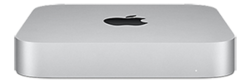
As part of the Mac transition to Apple silicon, Apple announced a new Mac Mini with the Apple M1 chip on November 10, 2020. It was released on November 17, 2020, and was one of the first three Apple silicon-based Macs released (alongside the MacBook Air and MacBook Pro).
With the M1, this Mac Mini has a 3x faster eight-core CPU, a 6x faster GPU, and 15x faster machine learning performance than its predecessor, the base 2018 model. Options for more than 16 GB of RAM are not available on M1-based systems. Support for external displays is reduced to one display over USB-C/Thunderbolt, though a second display can be connected using HDMI; the previous Intel-based model could drive two 4K displays over USB-C/Thunderbolt. On April 20, 2021, 10 Gigabit Ethernet with Lights Out Management was added as a built-to-order option. Its internal cooling system has a thermal-based design that according to Apple performs five times more quickly than the best-selling Windows-based desktop computer in its price range.
The price of the Apple silicon Mac Mini dropped US$100 from that of the previous model to $699. It added support for Wi-Fi 6, USB4, and 6K video output to run the Pro Display XDR. Externally, it is very similar to the 2018 Mac Mini but has a lighter, silver finish similar to that of the models released from 2010 to 2014.
The release of the Apple silicon Mac Mini was preceded by the June 2020 release of the A12Z-based Developer Transition Kit, a prototype with a Mac Mini enclosure made for developers to port their apps to Apple silicon. The 2020 DTK has 16 GB of RAM, 512 GB of storage, and two USB-C ports.
On January 17, 2023, Apple announced updated models based on the M2 and M2 Pro chips. The updated models also include Bluetooth 5.3 and Wi-Fi 6E connectivity. The M2 Pro model includes two additional USB-C/Thunderbolt ports and supports HDMI 2.1.
Technical specifications
| Model | M1, 2020 | 2023 | |||
|---|---|---|---|---|---|
| Release date | November 17, 2020 | January 24, 2023 | |||
| Discontinued date | January 17, 2023 | October 29, 2024 | |||
| Chip | Apple M1 8-core CPU 8-core GPU 16-core Neural Engine | Apple M2 8-core CPU 10-core GPU 16-core Neural Engine | Apple M2 Pro 10-core CPU 16-core GPU 16-core Neural Engine Configurable to 12-core CPU and 19-core GPU | ||
| CPU Cores | 4 performance / 4 efficiency | 4 performance / 4 efficiency | 6 performance / 4 efficiency | ||
| Memory | 8 GB Configurable to 16 GB | 8 GB Configurable to 16 or 24 GB | 16 GB Configurable to 32 GB | ||
| SSD | 256 GB Configurable to 512 GB, 1 TB or 2 TB | 512 GB Configurable to 1 TB or 2 TB | 256 GB Configurable to 512 GB, 1 TB or 2 TB | 512 GB Configurable to 1 or 2 TB | 512 GB Configurable to 1, 2, 4, or 8 TB |
| Networking | Wi-Fi 6 (802.11a/b/g/n/ac/ax) Bluetooth 5.0 Gigabit Ethernet Configurable to 10 Gigabit Ethernet | Wi-Fi 6E (802.11a/b/g/n/ac/ax) Bluetooth 5.3 Gigabit Ethernet Configurable to 10 Gigabit Ethernet | |||
| Connectivity | 2× Thunderbolt 3 (up to 40 Gb/s) 2× USB-A (up to 5 Gb/s) 1× HDMI 3.5 mm headphone jack | 2× Thunderbolt 4 (up to 40 Gb/s) 2× USB-A (up to 5 Gb/s) 1× HDMI 3.5 mm headphone jack | 4× Thunderbolt 4 (up to 40 Gb/s) 2× USB-A (up to 5 Gb/s) 1× HDMI 3.5 mm headphone jack | ||
| Dimensions | 7.7 × 7.7 × 1.4 in (197 × 197 × 36 mm) | 7.75 × 7.75 × 1.4 in (197 × 197 × 36 mm) | |||
| Greenhouse gas emissions | 172 kg CO2e | 197 kg CO2e | 112 kg CO2e | 126 kg CO2e | 150 kg CO2e |
| Initial operating system | macOS 11 Big Sur | macOS 13 Ventura |
Apple silicon small form factor (2024–present)

Apple introduced a redesigned Mac Mini in a significantly smaller chassis based on the M4 and M4 Pro chips on October 29, 2024. Its chassis measures 5 in × 5 in (130 mm × 130 mm), slightly larger than a 4x4 inch Apple TV 4K. It features three rear Thunderbolt 4 ports on M4 models or three rear Thunderbolt 5 ports on M4 Pro models. All models include an Ethernet port and HDMI port on the rear, and two USB-C ports and a 3.5mm headphone jack on the front. The computer has received widespread critical acclaim, though some reviewers have criticised the high cost of RAM and flash storage upgrades.
The base memory increased to 16 GB for M4 models and 24 GB for M4 Pro models, with the maximum configurable memory increased to 64 GB. Unusually for an Apple product, M4 models feature modular and upgradeable SSD storage. However, Apple does not sell stand alone upgrade modules, and the internal SSDs use proprietary connectors. Despite this, third-party suppliers have developed compatible modules that are typically priced at less than half the cost of Apple's factory upgrades. Any replacement of the SSD requires another functional Mac to restore the Device Firmware Update file.
The M4 model supports up to three external displays via the Thunderbolt ports, running two 6k displays and one 5k display simultaneously. The M4 Pro model can support up to three 6k displays running at 60 Hz.
Technical specifications
| Model | 2024 | |
|---|---|---|
| Released date | November 8, 2024 | |
| Chip | Apple M4 10-core CPU 10-core GPU 16-core Neural Engine | Apple M4 Pro 12-core CPU 16-core GPU 16-core Neural Engine Configurable to 14‑core CPU and 20‑core GPU |
| CPU cores | 4 performance / 6 efficiency | 8 performance / 4 efficiency |
| Memory | 16 GB Configurable to 24 or 32 GB | 24 GB Configurable to 48 or 64 GB |
| Storage | 256 GB Configurable to 512 GB, 1 TB, or 2 TB | 512 GB Configurable to 1, 2, 4, or 8 TB |
| Networking | Wi-Fi 6E (802.11a/b/g/n/ac/ax) Bluetooth 5.3 Gigabit Ethernet Configurable with 10 Gigabit Ethernet | |
| Connectivity | 3× Thunderbolt 4 (up to 40 Gb/s) 2× USB-C (up to 10 Gb/s) 1× HDMI 3.5 mm headphone jack | 3× Thunderbolt 5 (up to 120 Gb/s) 2× USB-C (up to 10 Gb/s) 1× HDMI 3.5 mm headphone jack |
| Power | 155 W maximum continuous | |
| Dimensions | 2 in × 5 in × 5 in (51 mm × 127 mm × 127 mm) | |
| Weight | 1.5 lb (680 g) | 1.6 lb (730 g) |
| Total greenhouse gas emissions | 32 kg CO2e | 50 kg CO2e |
Supported operating systems
| macOS release | PowerPC-based | Intel-based | Apple-Silicon–based | |||||||||||||
|---|---|---|---|---|---|---|---|---|---|---|---|---|---|---|---|---|
| Polycarbonate | Unibody | Small form factor | ||||||||||||||
| Original | Mid 2005 | Late 2005 | Early 2006 | Late 2006 | Mid 2007 | Early 2009 | Late 2009 | Mid 2010 | Mid 2011 | Late 2012 | Late 2014 | 2018 | 2020 | 2023 | 2024 | |
| Mac OS 9 | Partial or Emulation | —N/a | —N/a | —N/a | —N/a | —N/a | —N/a | —N/a | —N/a | —N/a | —N/a | —N/a | —N/a | —N/a | ||
| 10.2 Jaguar | Partial | —N/a | —N/a | —N/a | —N/a | —N/a | —N/a | —N/a | —N/a | —N/a | —N/a | —N/a | —N/a | —N/a | ||
| 10.3 Panther | 10.3.7 | Unofficial | —N/a | —N/a | —N/a | —N/a | —N/a | —N/a | —N/a | —N/a | —N/a | —N/a | —N/a | —N/a | —N/a | |
| 10.4 Tiger | 10.4.2 | 10.4.5 | 10.4.7 | 10.4.10 | —N/a | —N/a | —N/a | —N/a | —N/a | —N/a | —N/a | —N/a | —N/a | —N/a | ||
| 10.5 Leopard | With 512 MB RAM | 10.5.6 | Unofficial | Partial, Patch | —N/a | —N/a | —N/a | —N/a | —N/a | —N/a | —N/a | |||||
| 10.6 Snow Leopard | Patch, With 1 GB RAM | With 1 GB RAM | 10.6.3 | Partial | —N/a | —N/a | —N/a | —N/a | —N/a | —N/a | ||||||
| 10.7 Lion | Patch, With 2 GB RAM | With 2 GB RAM | Partial | —N/a | —N/a | —N/a | —N/a | —N/a | ||||||||
| 10.8 Mountain Lion | Patch, With 2 GB RAM | Patch, With 2 GB RAM | With 2 GB RAM | 10.8.1 | —N/a | —N/a | —N/a | —N/a | —N/a | |||||||
| 10.9 Mavericks | Patch, With 2 GB RAM | Patch, With 2 GB RAM | Partial | —N/a | —N/a | —N/a | —N/a | |||||||||
| 10.10 Yosemite | —N/a | —N/a | —N/a | —N/a | ||||||||||||
| 10.11 El Capitan | —N/a | —N/a | —N/a | —N/a | ||||||||||||
| 10.12 Sierra | Patch, With 2 GB RAM | Patch | —N/a | —N/a | —N/a | —N/a | ||||||||||
| 10.13 High Sierra | —N/a | —N/a | —N/a | —N/a | ||||||||||||
| 10.14 Mojave | Patch | Patch | —N/a | —N/a | —N/a | |||||||||||
| 10.15 Catalina | Patch, With 4 GB RAM | —N/a | —N/a | —N/a | ||||||||||||
| 11 Big Sur | Patch | —N/a | —N/a | |||||||||||||
| 12 Monterey | —N/a | —N/a | ||||||||||||||
| 13 Ventura | Patch | —N/a | ||||||||||||||
| 14 Sonoma | —N/a | |||||||||||||||
| 15 Sequoia | ||||||||||||||||
| 26 Tahoe |
| OS release | Early/Late 2006 | Mid 2007–Mid 2010 | Mid 2011 | Mid 2012–Late 2014 | 2018 |
|---|---|---|---|---|---|
| Windows XP | |||||
| Windows Vista | 32-bit only | ||||
| Windows 7 | 32-bit only | 64-bit only | |||
| Windows 8 | |||||
| Windows 8.1 | |||||
| Windows 10 | Patch |
Reception
The Mac Mini has been praised as a relatively affordable computer with a solid range of features. In the Intel era, reviews noted it was possible to purchase small computers at the same price with faster CPUs, better graphics cards, more memory, and more storage. The small size has made the Mac Mini particularly popular for home theater use, and its size and reliability has helped keep resale values high.
PowerPC
The G4 model received a considerably lukewarm score among critics. Those at CNET positively identified it as an affordable, quiet, and compact machine, but they disliked the slow hard drive and that it had only 2, below-expected quantities of USB 2.0 ports. Ars Technica indicated criticisms on its non-user-upgradable RAM and storage options and the expensive fees for additional drives. Overall, they felt that the performance was fairly acceptable.
Intel
The Intel polycarbonate model was moderately praised. Engadget aggregated that critics generally praised the Core Duo transition, connectivity, and the Front Row performance. The listed reviewers inspected it to be about 10 to 15% better performance in media-center-related tasks. CNET admired its cost, software, home-theater system, and Windows compatibility. Despite this, they found criticisms on the poor video output graphic processing units, small hard drive, and the limited remote controllability and upgrade options. Ars Technica encountered it to be somewhat underpowered to play high-resolution HD streams at standard frame rates. They opposed the integrated graphics implemented within the model because it delivered marginal performance when compared to dedicated graphics processors.
The unibody model reviews were tepid. Engadget praised the HDMI port, compact design, and power efficiency. They disputed its lack of Blu-Ray options on home theater and the expensive price. CNET wrote a positive review on the HDMI output and the near-decent graphics capability, citing criticisms on the limited user upgrade options and the high cost. The same sources of criticism were also mentioned in an Ars Technicareview.
The space gray model received lukewarm praise. The Verge praised its significant leap of power and speed and the high-quality port integration. They wrote negatively on its high-cost base model and the lack of GPU performance. In an Engadget review, it was admired for its compact design, versatile port selection, CPU performance, and that it was the least expensive in the Macintosh lineup, while criticisms included the limited GPU performance, expensive upgrade options, and the non-user-upgradable RAM. CNET wrote positively on its high-quality processor performances, the ports, and the Ethernet configuration; they criticized the non-replaceable integrated graphics and the expensive cost to purchase associated accessories and displays.
Apple silicon
Reviews for the initial Apple silicon model were very positive in the media. Wired praised its relatively low-cost affordability and its integration of Apple Silicon; the latter was assessed as efforts of significant performance and power efficiency enhancements. Null experimented the system to be "peppy and responsive" without any crashes; however, he panned the transitional disabilities of the Silicon which discontinued supports for Intel-era system extensions. Similarly, ZDNet wrote positively on the price, processor units, compact design, and quiet performance. Nevertheless, they argued over the expensive non-user-installable RAM and storage upgrades (the storage was later made modular in the M4 model) and the non-discrete-or-external GPU. Technical writers Samuel Axon (Ars Technica), Chris Welch (The Verge), and Jeremy Laukkonen (Lifewire) all gave high praises. Axon evaluated a positive grade on its high-quality performance and solid Legacy x86 macOS app compatibilities, citing the RAM and storage installment limitation as his chief element of criticisms. Agreeably, Welch emphasized appeals to the performance and the power efficiencies. In addition, he regarded negatively its external GPU incompatibility, low-quality speaker, and that it has fewer USB-C ports than the previous Intel model. Collectively, Laukkonen recited these debates. The M4 model also received much critical acclaim, including from sources such as The Verge and TechRadar which praised its modular internal SSD, allowing for user-performed storage upgrades.
Home theater and server
Home theater

Due to its similarity, compact volume and functions, the Mac Mini is often used as a home theater PC or as an alternative to the Apple TV. The system has a native interface with Front Row software that is based on the original Apple TV interface. Unlike the Apple TV, the Mac Mini is backward compatible with televisions that have only composite or S-Video inputs.[failed verification]
Pre-2009 models have a video connector that is compatible with DVI, HDMI (video only), SVGA, S-Video, and composite video with appropriate adapters; for audio output, it has both the analog mini-headphone port and a digital optical fiber port. The addition of a HDMI port on the 2010 Mac Mini simplified connection to high-definition televisions and home theater AV receivers. The HDMI port supports video resolutions of up to 1080p and eight-channel, 24-bit audio at 192 kHz, and Dolby Surround 5.1 and stereo output. The 2014 model added 4K output, and the 2018 model supports Dolby Atmos, Dolby Vision, and HDR10, and uses the macOS Catalina operating system.
Distributed computing
Sound On Sound's Mark Wherry said the Mac Mini was useful for distributed audio processing of audio plugins using Logic Node, a companion tool to Logic Pro. Writing for MacTech magazine, university IT director Mary Norbury-Glaser demonstrated the use of Xgrid on a Mac Mini.
Server
Apple offered a server configuration of the Mac Mini that was originally supplied with the OS X Server operating system, a version of OS X, but this was later switched to the standard version of OS X with a separate OS X Server package. The file included component applications such as "Server App" and "File Sharing". In June 2011, it was available from Mac App Store for other Macintosh computers. The Mid-2010 Mac Mini Server was initially the only model without an optical drive, which was replaced with a second hard drive. The Mid 2011 models also eliminated the optical drive.
The Mac Mini Server hardware was discontinued in the Late 2014 model. The macOS Server software package, however, could be purchased from the Mac App Store. In 2018, coinciding with the release of macOS Mojave, Apple shipped macOS Server version 5.71, which stopped bundling open-source services including DHCP, DNS, email, firewall, FTP, RADIUS, VPN, Web, and Wiki. Apple states customers are able to receive support for these services directly from open-source providers. Other Apple-proprietary services such as Airport, Calendar, Contacts, Messages, and NetBoot were also removed with no corresponding open-source options.
Alternative operating systems for Mac users include Linux and virtualized Windows; they can also install third-party Unix packages via open-source package managers such as Conda, Fink, Homebrew, MacPorts, Nix, pkgsrc, and Rudix. A few services, such as caching, files, Time Machine, and Web, were moved to the macOS Mojave client but can have limited configuration capability via the Sharing control panel. The Apache server GUI manager is replaced by apachectl commands in Terminal. The only services remaining in macOS Server 5.7.1 are Open Directory, Profile Manager, and Xsan.
Some have used Mac Minis as replacements for Apple's discontinued Xserve rack-mounted servers. Providers like AWS, Macstadium, and Scaleway provide the ability to rent Mac Minis located in their data centers, a process called colocation. These can be used as continuous integration servers (also known as build servers) for Xcode, or used for application testing.
Notes
External links
- Media related to Mac Mini at Wikimedia Commons
- Mac Mini at Wikibooks
- Learning materials related to Mac Mini at Wikiversity